Estimates & invoicing
Turn an approved estimate into an invoice without retyping
An estimate and an invoice can contain the same customer and line items, but they serve different purposes. The estimate sets out proposed work and price. The invoice bills for what is owed. Reusing the details is useful; skipping the review between them is not.
Carry the approved details forward, then check what changed. Conversion should remove duplicate entry, not remove the billing review.
1. Save the reusable details, not an old document
Begin with a customer record containing the right contact, service address and billing details. Choose that customer when preparing the estimate rather than copying an old PDF and hoping you replaced every name. For repeat work, keep common products or services in a catalog with a description, unit, price and item code where useful.
A catalog is a starting point, not permission to overwrite history. Update a current price for future work; keep the issued estimate as the record of what you offered. When you need a revision, make the revised scope and price explicit and obtain the appropriate approval.
2. Build a small, checkable estimate
Consider a fictional filter-replacement visit. The customer needs two filters and one service visit. The sample below uses invented prices to show how quantities and totals should carry from estimate to invoice. It is not a quote for a real customer or a guide to local pricing.
Write what the service line includes, identify the filter specification and note any exclusions. If the final material depends on a site check, describe the assumption or allowance rather than presenting an uncertain item as confirmed.
| Item / code | Quantity | Unit price | Line total |
|---|---|---|---|
| Filter replacement / FLT-20X25 | 2 | $38.00 | $76.00 |
| Service visit / SVC-VISIT | 1 | $125.00 | $125.00 |
| Illustrative subtotal | $201.00 |
- Subtotal: $201.00 before any applicable tax or fees.
- If a $50 deposit was actually received and correctly applied, the remaining pre-tax balance would be $151.00.
- A requested deposit is not a received payment. Record the actual payment before deducting it.
3. Record which version the customer approved
Send the estimate with its scope, total, validity period and payment terms. Keep the approval tied to the estimate the customer saw. If the customer accepts version one and the job later changes, a higher total on version two is not automatically approved.
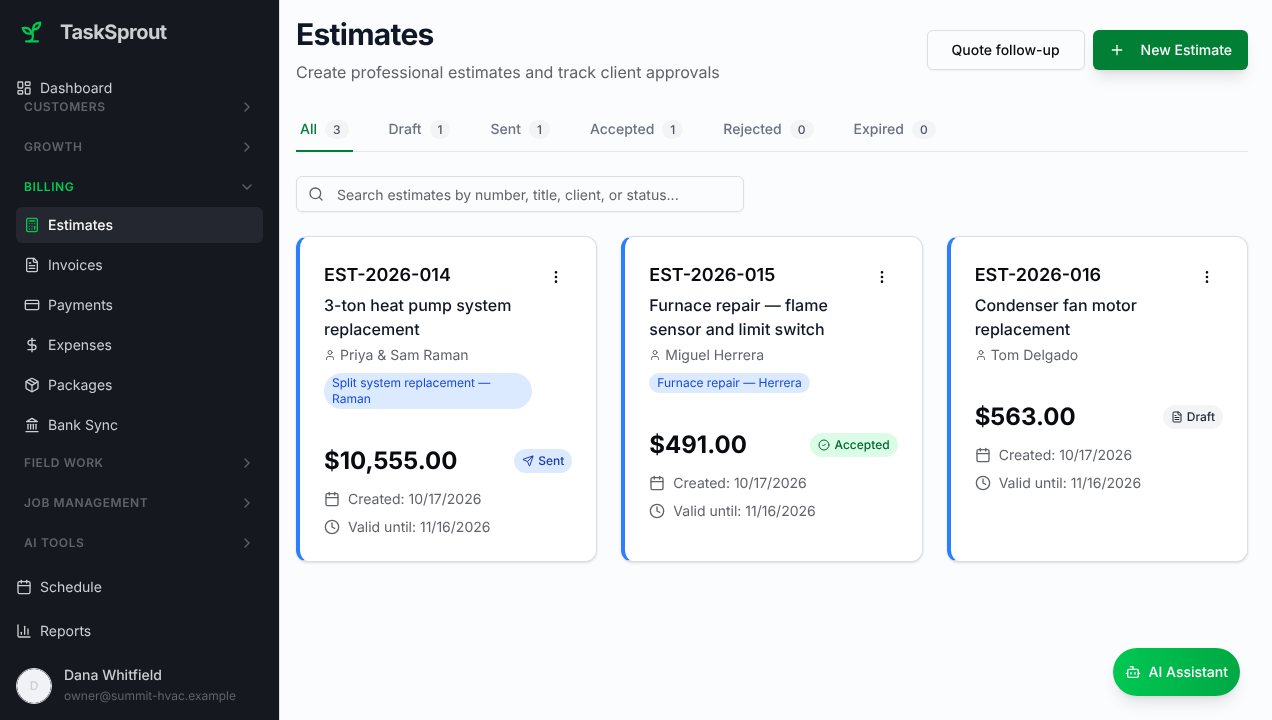
TaskSprout can send an estimate for customer approval and convert an accepted estimate into an invoice. Customer, scope, quantities and prices carry forward, reducing the need to enter the same information again. Check that the accepted record is the one you intend to bill.
4. Keep the job and approved changes connected
Once the work is scheduled, keep the visit details and job notes with the same customer and project. Record what was completed and anything still open. That gives the person preparing the invoice a reliable handoff rather than a request to reconstruct the visit from memory.
If an extra filter is approved, record the quantity change and the agreed price before billing it. If the service visit was not performed, do not send the original total merely because it was easy to convert. The invoice needs to reflect the work and payment terms actually agreed.
Completed-work photos can explain the result, but they do not replace approval or financial records. Share a relevant image with a short caption, and keep private internal notes separate from the customer-facing summary.
5. Convert, review, then send
Open the accepted estimate and use the conversion workflow to create the invoice. Review the draft before sending: the point is to reuse good data, not to assume every carried-forward field is still correct.
After sending, track invoice status separately from job completion. Sent, due and paid are different states. If a customer asks a question, use the estimate, approval and job record to explain the invoice instead of sending another document with a different total and no context.
- Customer and billing address match the intended recipient.
- Descriptions, item codes, quantities and unit prices match approved work.
- Changes, discounts, taxes and fees are deliberate and supported.
- Received deposits or credits are applied once, not twice.
- Due date, payment instructions and amount owed are clear.
- The invoice has its own reference; it is not an estimate relabeled as paid.
Start with one real job before moving everything
You do not need to migrate every historical record to test a better process. Add one customer, save the items you use most, prepare one estimate and follow it through approval and invoicing. Compare the result with your existing records before making it the standard for the team.
TaskSprout also includes scheduling, job records, customer communication and payments, so the workflow can grow beyond document creation. The core estimate-and-invoice process does not require turning on the optional AI receptionist. Start with the part of the business that needs the least duplicate entry.